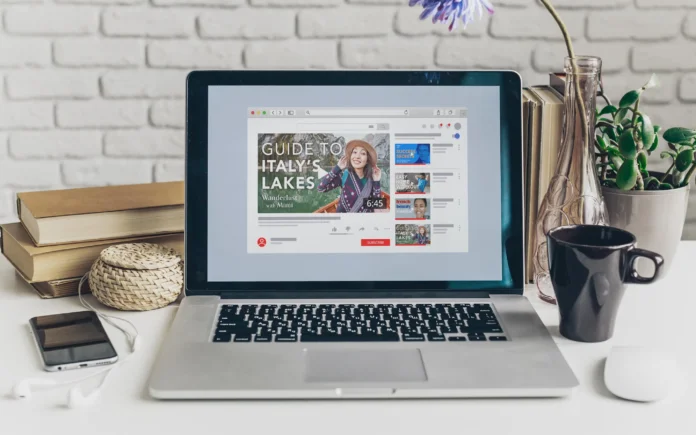
YouTube has become a massive platform for sharing content, and one of the keys to standing out in this vast sea of videos is creating captivating thumbnails. Your thumbnail is the first thing viewers see, and it can make the difference between someone clicking on your video or scrolling past it. In this guide, we’ll explore how to craft attention-grabbing YouTube thumbnails that will help you attract more views and engagement.
Table of Contents
Why Thumbnails Matter
- First Impressions Count: Thumbnails are the digital storefront of your video. They provide a sneak peek into what your content is all about.
- Increase Click-Through Rates: A well-designed thumbnail can entice viewers to click on your video, boosting your click-through rate.
- Convey Content: Thumbnails should give a clear idea of the video’s topic, helping viewers understand what they’ll gain from watching.
Crafting a Compelling Thumbnail
1. Choose the Right Image:
- Use a high-quality image that represents the essence of your video.
- Select an image with vibrant colors and clear subjects.
2. Keep It Simple:
- Avoid clutter and too much text.
- Use bold fonts for text elements, making them easy to read.
3. Use Contrast:
- Create contrast between the background and the main subject to make it pop.
4. Add Text:
- Include a short, attention-grabbing title or text overlay that highlights the video’s main point.
5. Show Emotion:
- Use facial expressions to convey the emotions of the video.
Optimizing for SEO
- Use Relevant Keywords: Incorporate keywords related to your video’s topic in the title and description.
- Create Engaging Descriptions: Write a concise and compelling description that entices viewers to click.
Best Practices for Thumbnail Design
- Consistency: Maintain a consistent style across your thumbnails to build brand recognition.
- Testing: Experiment with different thumbnail designs and analyze their performance to see what resonates best with your audience.
- Stay On-Brand: Reflect your channel’s identity and content style in your thumbnails.
Using Tools for Thumbnail Creation
To simplify the process of designing captivating YouTube thumbnails, consider using graphic design tools and software. Here are some popular options:
- Canva: This user-friendly online tool offers a wide range of templates, graphics, and fonts to create stunning thumbnails.
- Adobe Spark: Ideal for those looking for more customization options, Adobe Spark allows you to design thumbnails with professional flair.
- PicMonkey: With its intuitive interface, PicMonkey lets you create and edit thumbnails effortlessly, adding filters, text, and effects.
- Snappa: Snappa’s extensive library of templates and graphics makes it easy to create attention-grabbing thumbnails even for those without design experience.
Optimizing Thumbnails for Mobile
With the majority of viewers accessing YouTube from mobile devices, it’s crucial to ensure your thumbnails are mobile-friendly:
- Size Matters: Use dimensions that work well on both desktop and mobile screens (e.g., 1280×720 pixels).
- High Contrast: Mobile screens can be small, so opt for high-contrast images and bold text that are easily visible.
- Simplicity: Keep your thumbnails simple and straightforward to ensure they’re effective on smaller screens.
Measuring Thumbnail Success
After implementing your thumbnail strategies, it’s essential to analyze their effectiveness:
- YouTube Analytics: Monitor your video’s click-through rate and audience retention to gauge how well your thumbnails are performing.
- A/B Testing: Experiment with different thumbnail designs for the same video and compare their performance metrics.
Captivating Thumbnails: Making Your Videos Pop
In today’s digital age, where attention spans are fleeting, a captivating YouTube thumbnail can be the difference between a viewer scrolling past your video and clicking to watch it. The power of a well-designed thumbnail cannot be underestimated—it’s your video’s first impression and the hook that draws viewers in. In this article, we’ll delve into the art of creating eye-catching YouTube thumbnails that enhance your videos’ appeal and encourage clicks.
Understanding the Importance of Thumbnails
Imagine your video as a book on a shelf, and the thumbnail as its cover. A visually striking cover grabs your attention and entices you to pick up the book. Similarly, a compelling thumbnail captures viewers’ interest, prompting them to click on your video. It’s a gateway to your content and a preview of what’s in store. Therefore, crafting thumbnails that accurately represent your video’s content while being visually engaging is crucial.
Key Elements of an Effective Thumbnail
- High-Quality Imagery: Use clear, high-resolution images that convey the essence of your video. If it’s a tutorial, show a relevant step or a finished result.
- Contrasting Colors: Make your thumbnail stand out by using contrasting colors that catch the eye. Bold and vibrant colors often work well.
- Text Overlay: Adding concise and compelling text on your thumbnail can provide context and arouse curiosity. Use large, readable fonts.
- Expressive Faces: If your video features people, a close-up of a face showing emotion can be incredibly powerful in generating clicks.
Crafting Effective Thumbnails
- Reflect Content: Ensure that your thumbnail accurately represents the video’s content. Misleading thumbnails can lead to viewer dissatisfaction.
- Emotion and Curiosity: Invoke emotion or curiosity through your thumbnail. Make viewers want to learn more or feel intrigued by the image.
- Consistency: Maintain a consistent style across your thumbnails, using similar fonts, colors, and design elements. This builds your brand identity.
Design Tips and Strategies
- Rule of Thirds: Divide your thumbnail into nine equal sections using two vertical and two horizontal lines. Place key elements along these lines for balance.
- Negative Space: Don’t overcrowd your thumbnail. Use negative space strategically to draw attention to the main subject.
- Testing: Experiment with different thumbnail designs to see what resonates with your audience. Use insights from YouTube Analytics to refine your approach.
Optimizing for YouTube’s Algorithm
YouTube’s algorithm considers engagement metrics like click-through rate (CTR) and watch time to recommend videos. An appealing thumbnail can significantly impact your CTR.
Mobile Compatibility
Remember that many viewers access YouTube on mobile devices. Ensure your thumbnails are easily discernible on smaller screens.
Conclusion
In the ever-expanding digital landscape, capturing attention is a challenge. Mastering the art of creating captivating YouTube thumbnails can set your content apart. By incorporating visually appealing images, engaging text, and strategic design elements, you’ll be well on your way to enhancing your videos’ discoverability, clickability, and overall success. After all, a picture is worth a thousand words—and a great thumbnail can be worth thousands of views.